CareConnect
CareConnect caregiver app for Android
Install the latest version on your Android phone. Android 8.0 or newer.
Latest version
Version 1.3.12
6.5 MB · Release date: 2026-11-05
Download for AndroidNew features
No changes recorded.
Bug fixes
- Updates can no longer get stuck on “Waiting for Android” without a way to continue. Open the update screen again or cancel the update from Settings or the daily update prompt.
- Shows a notification you can tap to finish updating when Android needs your confirmation.
File details and checksum
Size: 6,807,611 bytes · Version code: 38
SHA-256: e8b812b155352a1080551a34936589667997247b5719e68c83d4c4541c09f762
How to install
- Tap Download for Android and open the downloaded file.
- If Android asks, allow your browser to install this app, then tap Install.
- Install over your existing CareConnect app to keep its saved data.
- Open CareConnect and sign in. Your first sign-in needs an internet connection.
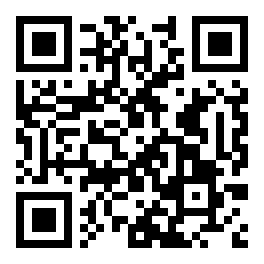
Scan with your phone to open this page.
Earlier versions
Use the latest version unless support asks you to install an older one.
Older version — install only if support asks
Version 1.3.11
6.5 MB · Release date: 2026-11-03
Download version 1.3.11New features
- Shows when phone battery settings may delay background work, with a link to app settings and a way to dismiss the notice for today.
- Reports the app version to the office with each request to help investigate connection problems.
Bug fixes
- Clock actions keep saving through screen changes; interrupted clock-outs keep their note and signatures for recovery.
- Recovers an expired sign-in before retrying downloads, saved work, location updates, and email.
- Keeps your saved password when a connection problem or temporary server failure prevents sign-in.
- Starts syncing when internet returns and retries unfinished schedule downloads.
- Refreshes the schedule sooner when opening the app and redraws lists when new data arrives.
- Updates open visit screens and the schedule notice when the office replies, while keeping notes and signatures being edited.
File details and checksum
Size: 6,799,671 bytes · Version code: 37
SHA-256: fa2f73b1c538f91899cfb73cc0e13d484457d4a09b31bcff1985fe820fd58cd8
Older version — install only if support asks
Version 1.3.10
6.5 MB · Release date: 2026-10-31
Download version 1.3.10New features
- The app keeps a private problem log and automatically sends problem reports to your office after saved visit records have sent.
- Settings has a Send problem report button and tells you whether the office received it.
- Phone logs clear after seven days, with a size limit to keep storage small.
Bug fixes
- Records connection failures and stalled activity to help the office investigate problems that disappear after restarting a phone.
File details and checksum
Size: 6,774,511 bytes · Version code: 36
SHA-256: e8728a184d1f720804c225dfda928a8cf300461b83d5ae6a2bb33288a70b1348
Older version — install only if support asks
Version 1.3.9
6.4 MB · Release date: 2026-10-31
Download version 1.3.9New features
- The schedule screen now shows when your schedule was last updated, using your phone’s local time. If an update fails, it shows a warning beside the last update time.
Bug fixes
- Sync no longer reports success when your schedule could not be downloaded. It tells you that your schedule was not updated and how to get help, even when there are no saved records waiting to send.
- If records reached the office but the schedule did not download, the result tells you both. Settings keeps that result on screen.
File details and checksum
Size: 6,754,735 bytes · Version code: 35
SHA-256: 3eb5a13b2f4532ff67b7e6650743164d4334c196f83f431ec60e3602a860a978
Older version — install only if support asks
Version 1.3.8
6.4 MB · Release date: 2026-10-21
Download version 1.3.8New features
- The app now needs your phone's location to work. If location is off or not allowed, the app shows a full-screen message telling you how to turn it on.
- Every clock-in and clock-out now saves where you were. The app looks for your position for up to 5 seconds. If it cannot get a fresh one, it uses the last position your phone knew, as long as it is not too old, and marks it that way. Otherwise it keeps looking until it finds one. You can tap Cancel while it is looking, and nothing is saved.
- While you are clocked in, the app saves your position on a set schedule that your office chooses (every 15 minutes unless your office changes it). This keeps working with the screen off, and a notice stays on your phone while it is happening.
- If you are still clocked in after your visit was supposed to end, the app asks: "You are still clocked in. Are you still working?" Tap Still Working to stay clocked in, or Clock Out to finish your visit.
- Positions saved while you have no signal are kept on your phone and sent to the office when you are back online.
Bug fixes
- Saved location records never stop the app from updating, and they are kept safely through an update.
File details and checksum
Size: 6,751,347 bytes · Version code: 34
SHA-256: 5e88b9ba214a2d65308eafeac469c8bf8ed5b13836f4948603123b25057ebfb5
Older version — install only if support asks
Version 1.3.7
6.4 MB · Release date: 2026-10-21
Download version 1.3.7New features
- The app now checks for a new version by itself, about once a day, when you open your day screen. When one is available it asks: "A new version of CareConnect is ready to install. Updating takes about a minute. Your visits and saved work stay on this phone." Tap Update Now to install it, or Remind Me Later to be asked again tomorrow.
- The app never asks during a visit, and never while you have work that has not been sent to the office yet.
Bug fixes
- Checking for an update while one was already downloading could cancel that download. It no longer does.
File details and checksum
Size: 6,722,167 bytes · Version code: 33
SHA-256: 9b1879ece55426fdcdaf09485b6e98bbaff3d1a89f4b701552f8055c07492460
Older version — install only if support asks
Version 1.3.6
6.4 MB · Release date: 2026-10-19
Download version 1.3.6New features
- While the phone records your location for a save, a message at the top of the screen says: "Please wait while GPS location is recorded. This may take a few seconds."
Bug fixes
- Saving a note and clocking out no longer seem to freeze. The app now starts finding your location when you open the visit, so it is usually ready when you tap Save or Clock Out. A save now waits at most about 3 seconds for the location instead of up to 15.
File details and checksum
Size: 6,712,127 bytes · Version code: 32
SHA-256: abd95bd53194e9534c1dac1e7c7e35d69fe191413ca45c3eae55927e9cb40cd7
Older version — install only if support asks
Version 1.3.5
6.4 MB · Release date: 2026-10-15
Download version 1.3.5New features
No changes recorded.
Bug fixes
- With no signal, you can now sign in with your email address as well as your username. Before, the app only knew your username without a signal and said the phone had "not been set up" for your email.
File details and checksum
Size: 6,711,027 bytes · Version code: 31
SHA-256: 422e0a655e1cd8bde8be6f21c5d650d2a6fad59bea4c09f89bf398c30e8c8c55
Older version — install only if support asks
Version 1.3.4
6.4 MB · Release date: 2026-10-12
Download version 1.3.4New features
No changes recorded.
Bug fixes
- Clocking out now shows that your signatures are being saved, even with no signal. Pressing Back while saving keeps the screen open, and the save continues if the screen closes or rotates. A message confirms when your clock-out is saved on your phone.
- If a drawn signature is not accepted, the app explains why. You can sign again or clock out without it and give a reason.
File details and checksum
Size: 6,710,259 bytes · Version code: 30
SHA-256: 9a0e1b9f7696e42896cd500c329c26d4e44540caf9550ea7e5a3bea5e2342348
Older version — install only if support asks
Version 1.3.3
6.4 MB · Release date: 2026-10-07
Download version 1.3.3New features
- The Email tile now opens an Email screen. You can send an email with To, CC, Subject and Message, and turn on Encrypt for private information.
- Emails you send from the app appear in Recently sent on the website's Compose page.
- Email needs a signal. With no signal, the screen tells you and keeps your message; press Send again later. It is never sent twice.
- For attachments, BCC, drafts or templates, use Compose on the website.
Bug fixes
No changes recorded.
File details and checksum
Size: 6,706,947 bytes · Version code: 29
SHA-256: 77c2c68ac31011478ee1d80b417f265b8ebd0076753389132e8e314a06b567a2
Older version — install only if support asks
Version 1.3.2
6.4 MB · Release date: 2026-09-30
Download version 1.3.2New features
- You can add a note to a visit after you clock out. It shows as added after clock-out, with the time you wrote it. Notes already saved cannot be changed after clock-out.
- A note you are typing is saved automatically when you clock out, even without a signal.
Bug fixes
- A note that reaches the office after the visit was closed is no longer stuck on the phone.
- Each note you start typing keeps its own draft, so two notes no longer overwrite each other.
File details and checksum
Size: 6,699,999 bytes · Version code: 28
SHA-256: ac8cb29b502080309a40ffbed2e1649e94ca50b94b806f15a2a4b97bc5928c53
Older version — install only if support asks
Version 1.3.1
6.4 MB · Release date: 2026-09-30
Download version 1.3.1New features
No changes recorded.
Bug fixes
- Updating the app is no longer blocked by a saved record the office has not accepted yet. The record stays safe on the phone through the update.
File details and checksum
Size: 6,693,479 bytes · Version code: 27
SHA-256: d880ac1f5f965a4b7ea6a89681b26be28a3417a0eccdd099fcdff96b86836e20
Older version — install only if support asks
Version 1.3.0
6.4 MB · Release date: 2026-09-28
Download version 1.3.0New features
- When your office enables Transport, record when you leave with a client and when you arrive. Your visit stays open, the drive is paid, and this works offline.
Bug fixes
- If the office cannot accept a clock-out yet, the visit stays open instead of appearing finished.
- Incident type and severity highlight immediately and stay selected when the screen rotates.
File details and checksum
Size: 6,693,199 bytes · Version code: 26
SHA-256: c7fcc70a83c02467a7276355da2fd5ae47c47f029061924d2d4b118d434dd66f
Older version — install only if support asks
Version 1.2.11
6.4 MB · Release date: 2026-09-19
Download version 1.2.11New features
- Caregivers can photograph a signed paper or choose a reason when they cannot sign.
Bug fixes
- Leaving the signature screen safely removes photos that have not been saved with the visit.
File details and checksum
Size: 6,672,839 bytes · Version code: 23
SHA-256: e69dc124daa36e0939788bc38285ff8e423cd6293d2cb254b64b38ca38d8ca7f
Older version — install only if support asks
Version 1.2.10
6.4 MB · Release date: 2026-09-18
Download version 1.2.10New features
- Choose a reason when a client cannot sign.
- Take a photo of a signed paper instead of drawing the client signature on the phone.
Bug fixes
No changes recorded.
File details and checksum
Size: 6,668,431 bytes · Version code: 22
SHA-256: 50b63622e1498a511d2a3e1d52a88cf1e65ad82e0c073483f73be099c574aecc
Older version — install only if support asks
Version 1.2.9
6.4 MB · Release date: 2026-09-05
Download version 1.2.9New features
No changes recorded.
Bug fixes
- Incident type and severity highlight on the first tap and stay selected when the screen rotates.
File details and checksum
Size: 6,659,567 bytes · Version code: 21
SHA-256: 19e7292ab30de12255c5461e1549d7eb8039ee09a72145adb423ba31bccac56d
Older version — install only if support asks
Version 1.2.8
6.4 MB · Release date: 2026-08-31
Download version 1.2.8New features
No changes recorded.
Bug fixes
- Clock In and Save Notes show that saving has started right away and prevent repeated taps from making duplicate records.
- A successful clock-in no longer changes back to showing Clock In.
File details and checksum
Size: 6,660,247 bytes · Version code: 20
SHA-256: cd4c26a0538c65773cfc15c672397c932dbbbd7871b4d22460748bb8034e94b9
Older version — install only if support asks
Version 1.2.7
6.4 MB · Release date: 2026-08-28
Download version 1.2.7New features
No changes recorded.
Bug fixes
- Sign-in reminders more accurately reflect whether your work still needs to be sent.
- The schedule refreshes less often during ordinary use, while manual sync and clock-out still refresh it when needed.
- Work already confirmed by the office stays marked as sent.
File details and checksum
Size: 6,659,571 bytes · Version code: 19
SHA-256: 37999a8794fc130b1a952d149f9a28fb597cef5917699bd5f77f683209c16d96
Older version — install only if support asks
Version 1.2.6
6.3 MB · Release date: 2026-08-28
Download version 1.2.6New features
- Complete your shift and collect signatures before the final clock-out.
Bug fixes
- The sent-to-office message waits for confirmation from the office.
- Inactive and discharged clients are removed from upcoming schedules while visits in progress and unsent work are kept.
File details and checksum
Size: 6,657,819 bytes · Version code: 18
SHA-256: 1ff2c44a44ce0b9d5d19a2c5424ac6e03a0bb8affe063de1da5111d9bff971a7
Older version — install only if support asks
Version 1.2.5
6.3 MB · Release date: unknown
Download version 1.2.5Earlier release — notes not recorded.
File details and checksum
Size: 6,653,731 bytes · Version code: 17
SHA-256: 6e8eea02e0ab43310f385139cea90202beae6e488bee77db943b03b136683564
Older version — install only if support asks
Version 1.2.4
6.3 MB · Release date: unknown
Download version 1.2.4New features
No changes recorded.
Bug fixes
- App updates are no longer blocked by records the office has already refused.
- Messages about records needing office help now explain where to find them in Settings.
File details and checksum
Size: 6,650,907 bytes · Version code: 16
SHA-256: 70c8806a9773b1819f838660c7acc425ae2a086fbe65744b3757c3ef8ae7c838
Older version — install only if support asks
Version 1.2.3
6.3 MB · Release date: unknown
Download version 1.2.3New features
- Remove an office-refused record from this phone in Settings.
Bug fixes
No changes recorded.
File details and checksum
Size: 6,646,727 bytes · Version code: 15
SHA-256: 4a6ce541e681154aa73154f698fbf43c4072076e056deedb1c63cda027d8b13a
Older version — install only if support asks
Version 1.2.2
6.3 MB · Release date: unknown
Download version 1.2.2New features
- See how long your break has lasted and whether your shift was paused on the website.
Bug fixes
- Break status is restored from the office when you reinstall and sign in again.
- Clocking out during a break asks you to confirm first.
File details and checksum
Size: 6,641,431 bytes · Version code: 14
SHA-256: 89b7afdced3511f1e5ccdae1b05b833388cc03f455edc3663dc18689d4aebd41
Older version — install only if support asks
Version 1.2.1
6.3 MB · Release date: unknown
Download version 1.2.1Earlier release — notes not recorded.
File details and checksum
Size: 6,637,387 bytes · Version code: 13
SHA-256: d3ff840197dd33b24a46864639cb8ef8ce2cc9af6f2d22a0f99f2ad335da5417
Older version — install only if support asks
Version 1.2.0
6.3 MB · Release date: unknown
Download version 1.2.0Earlier release — notes not recorded.
File details and checksum
Size: 6,576,587 bytes · Version code: 12
SHA-256: 8592e45ab87cac9a94c181b2d1c295bce2d120cd787ceadb373aa598b12acb32
Older version — install only if support asks
Version 1.1.9
6.3 MB · Release date: unknown
Download version 1.1.9Earlier release — notes not recorded.
File details and checksum
Size: 6,562,807 bytes · Version code: 11
SHA-256: 97442fb5d4fb7ed7aec3c4c728919f0d849bd0819fc1b757870e4c7799b76e24
Older version — install only if support asks
Version 1.1.8
6.2 MB · Release date: unknown
Download version 1.1.8Earlier release — notes not recorded.
File details and checksum
Size: 6,531,319 bytes · Version code: 10
SHA-256: b61092f0d2938e3617310d5164b788e539e4a14cdd24e47226c2381b06cabca5
Older version — install only if support asks
Version 1.1.7
6.2 MB · Release date: unknown
Download version 1.1.7Earlier release — notes not recorded.
File details and checksum
Size: 6,464,606 bytes · Version code: 9
SHA-256: 4baead5a05e8605e60942b0d494c6dd298e54b80040339ba2aad8fe962cd9917
Older version — install only if support asks
Version 1.1.6
6.0 MB · Release date: unknown
Download version 1.1.6Earlier release — notes not recorded.
File details and checksum
Size: 6,255,905 bytes · Version code: 8
SHA-256: d62c7ec601de8f82ccdceac039f90caa492a546d2a49a34960b4aab5c763435a
Older version — install only if support asks
Version 1.1.5
6.0 MB · Release date: unknown
Download version 1.1.5Earlier release — notes not recorded.
File details and checksum
Size: 6,255,897 bytes · Version code: 7
SHA-256: 0e06e8a16fc548547c63e215e5721a54d71a6d41deb0acb0959cb723336dfcce
Older version — install only if support asks
Version 1.1.4
5.9 MB · Release date: unknown
Download version 1.1.4Earlier release — notes not recorded.
File details and checksum
Size: 6,163,265 bytes · Version code: 6
SHA-256: 84c7f7b2e9ebb7acb08775e86e35edc508df0e24d36f99c1518774cd6725b779
Older version — install only if support asks
Version 1.1.3
5.9 MB · Release date: unknown
Download version 1.1.3Earlier release — notes not recorded.
File details and checksum
Size: 6,160,673 bytes · Version code: 5
SHA-256: 96b90c4f2efbe91601e9ec89cffea5f9baed7df921b341e1e91eee333d4c05ee
Older version — install only if support asks
Version 1.1.1
5.9 MB · Release date: unknown
Download version 1.1.1New features
No changes recorded.
Bug fixes
- Sign-in messages explain whether the password is incorrect or the phone needs its first sign-in with an internet connection.
File details and checksum
Size: 6,157,349 bytes · Version code: 3
SHA-256: 9f0b08a1bcb943420d5d1d0ffc8199a909cc1bdd3e61b11514c9d10eeb2b51d8
Older version — install only if support asks
Version 1.0.0
5.8 MB · Release date: unknown
Download version 1.0.0Earlier release — notes not recorded.
File details and checksum
Size: 6,131,389 bytes · Version code: 1
SHA-256: 1b4f8e8f76d5724024c9ad5927bc25af4cbc20761c17879b52c84acb3b37d573