Built for speed.
Designed for clarity.
CareConnect gives home care agencies one system for scheduling, EVV, billing, automated claims management, built-in EDI claims processing, clearinghouse workflows, and claims waterfall handling. Your team can work claims, track payer responses, and follow guided workflows without jumping between disconnected tools.
Talk to CareConnect
Questions about automated claims management, EDI, clearinghouse setup, or the pilot?
Hands-off claims processing, with safeguards built in.
CareConnect automates the claims lifecycle from completed visit to claim creation, EDI submission, payer response tracking, remittance visibility, and exception follow-up.
Use Assisted Mode for review before submission, or Full Mode for approved autonomous workflows.
The goal is not just faster claim entry. The goal is fewer missed claims, fewer duplicate submissions, and a clearer path from care delivered to payer response.
Use the clearinghouse you already trust
Some agencies already submit claims through Availity or another clearinghouse. CareConnect lets those agencies work from the CareConnect screen, use their current clearinghouse workflow, and keep claim status, follow-up, and duplicate-claim protection in one place.
Scheduling, EVV, billing, and claims in one system
CareConnect runs the whole agency in one place: scheduling, EVV, billing, payroll, and QuickBooks, with claims management built in rather than run from a separate tool.
Scheduling & EVV
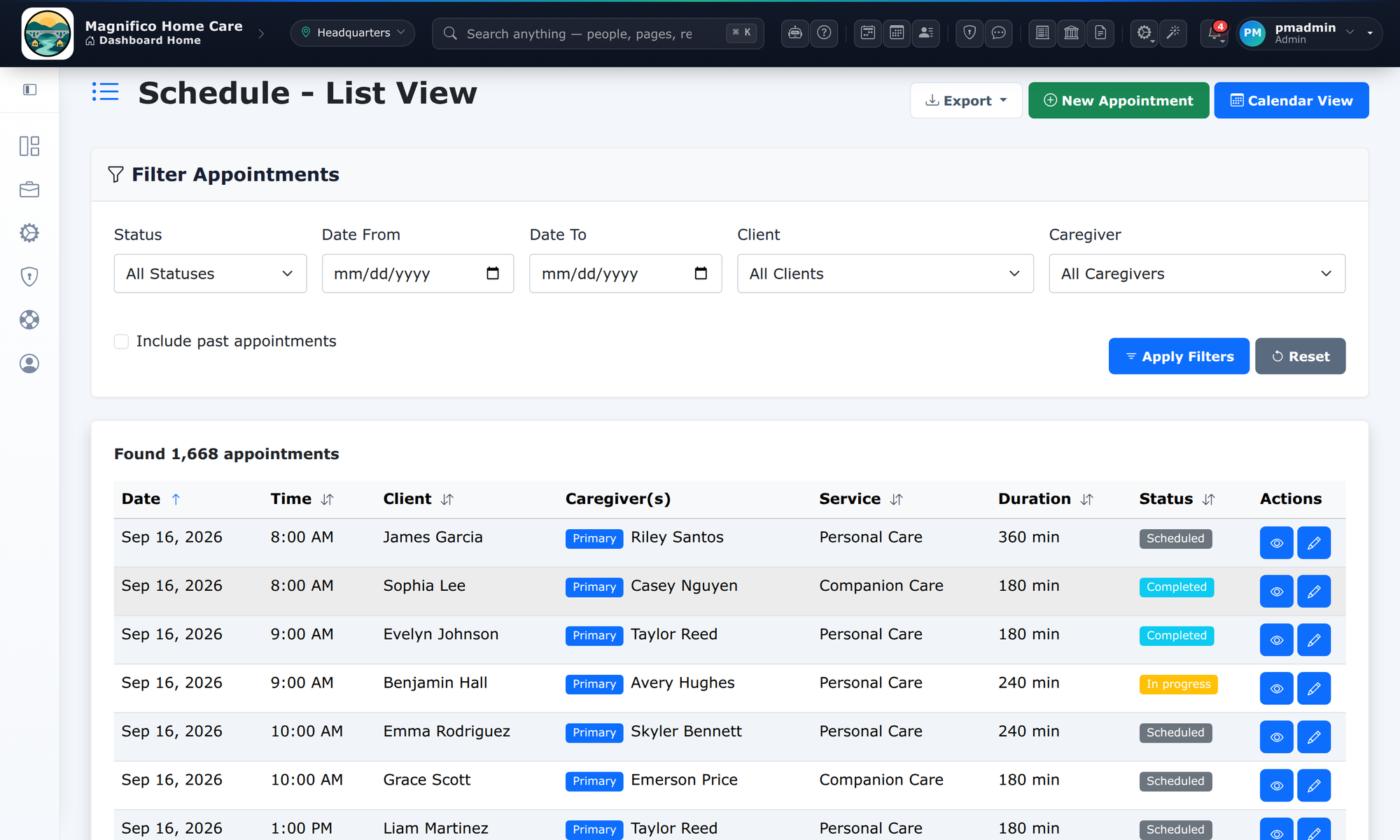
Appointments, recurring patterns, conflict checks, clock-in/out, and electronic visit verification, all tied to billing readiness.
Claims your operators can follow
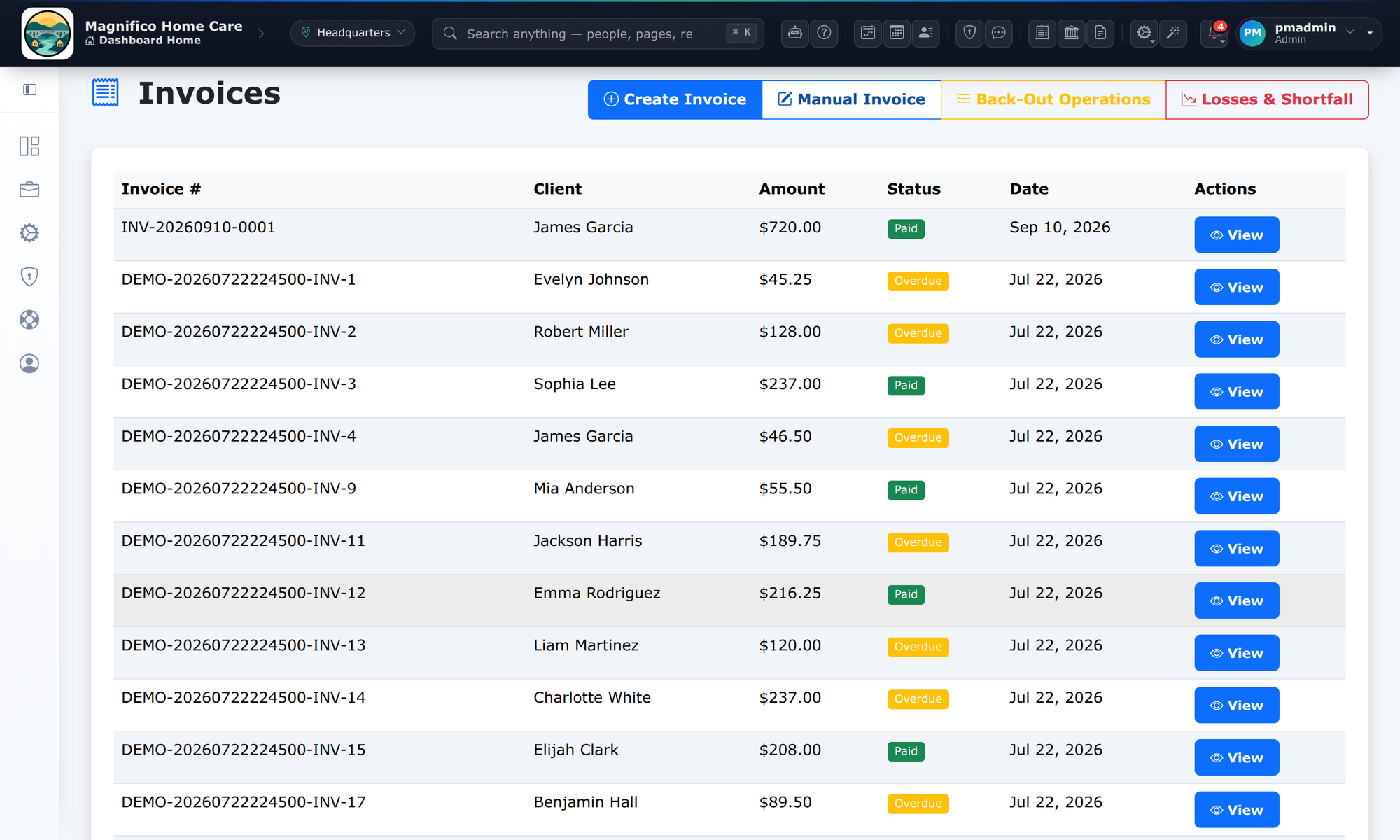
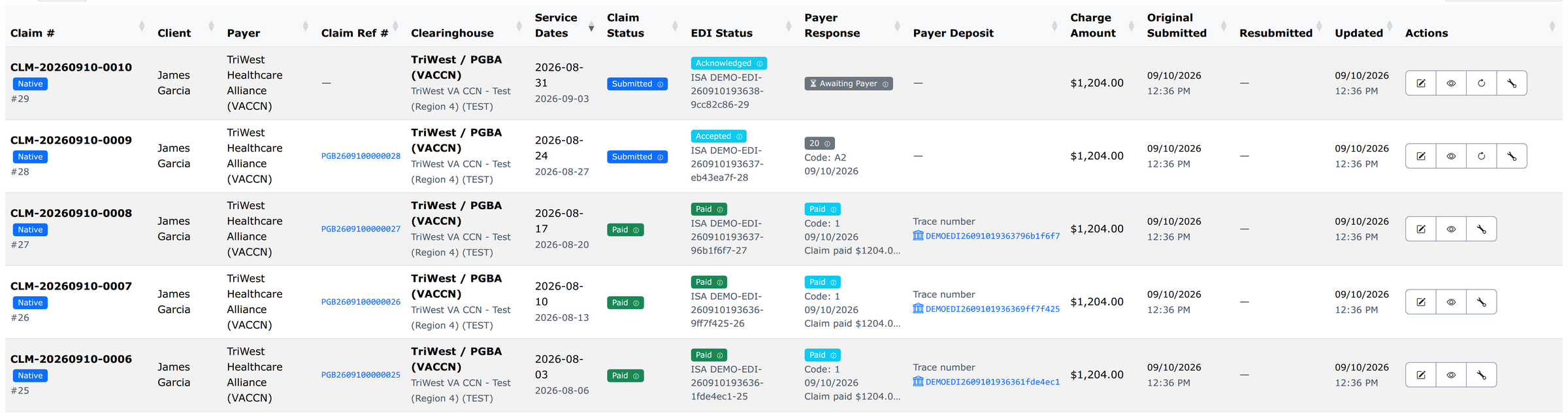
Guided claims workflows show what is ready to claim, what is blocked, what was submitted, and what needs follow-up, without exporting to spreadsheets.
Billing & invoicing
Invoices, payments, and remittance status stay tied to the visits actually delivered, so billing matches the schedule.
Payroll & QuickBooks
Approved caregiver time flows into pay runs and posts to QuickBooks Online as balanced journal entries, with no double entry.
Local support that knows home care
A U.S.-based support team that understands home care scheduling, EVV, billing, and claim follow-up.
How claims flow: EDI, clearinghouses, and payer responses
CareConnect generates 837P EDI claims and submits them directly or through your existing clearinghouse. For the payer routes where automated response handling is live today (VA Community Care Network claims), it also imports the payer's response back into the claim, so staff can track claim status without logging into a separate portal.
CareConnect was built with VA home care providers in mind, including VACCN workflows, authorization tracking by service date, and direct EDI submission.
Direct payer submission
Generate standards-based 837P claims and submit them through direct payer routes such as the VA Community Care Network (VACCN).
Clearinghouse-connected
Already on Availity or another clearinghouse? Route through it and keep every submission tracked inside CareConnect instead of a disconnected portal.
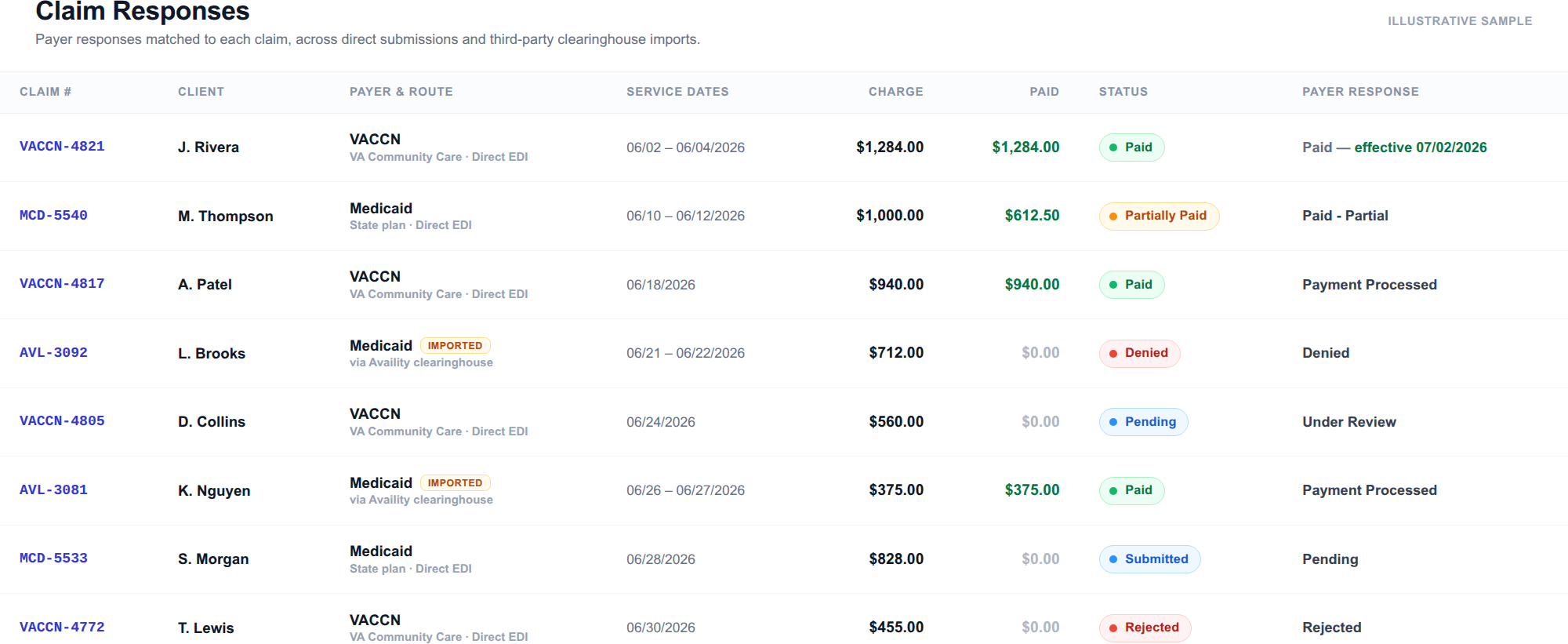
Payer responses in the claim timeline
For live VACCN routes, CareConnect imports 277CA claim acknowledgments, 277 claim-status responses, and 835 remittances into one timeline, so a claim shows where it stands: acknowledged, rejected, paid, partially paid, or denied.
Claims waterfall automation
When visits cross authorization boundaries, CareConnect separates covered, claimable time from over-authorization overflow so billing teams know exactly what to submit.
Authorization-aware billing
VACCN authorizations are applied by service date, so each claim bills against the right authorization instead of relying on manual tracking.
Payer setup & enrollment
Payer configuration for VA, VACCN, Medicaid, and private pay, so each route is set up correctly before billing begins.
Billing you can actually see.
CareConnect is designed so claim management, EDI claims processing, and clearinghouse workflows stay visible to operators. If your agency has payer-specific requirements, we can configure the route and workflow during onboarding instead of forcing staff to invent workarounds later.
Keep home care work connected to accounting.
CareConnect connects daily agency work to QuickBooks Online so billing, payroll, and accounting do not have to be re-entered by hand.
QuickBooks setup is part of onboarding when your agency uses QuickBooks Online.
6‑month pilot onboarding program
We’re currently onboarding pilot customers. During the pilot, setup costs are waived and your first 6 months include many premium add-ons free — the only cost is the subscription fee for your selected tier.
Setup costs: $0 (pilot)
We handle configuration and workflows so you’re not stuck reading confusing docs.
Many premium add-ons free
Premium features included for 6 months while we work closely with you on real operational needs.
Built with your feedback
We improve the system quickly based on how agencies actually run day‑to‑day.
Clean screens. Clear workflows.
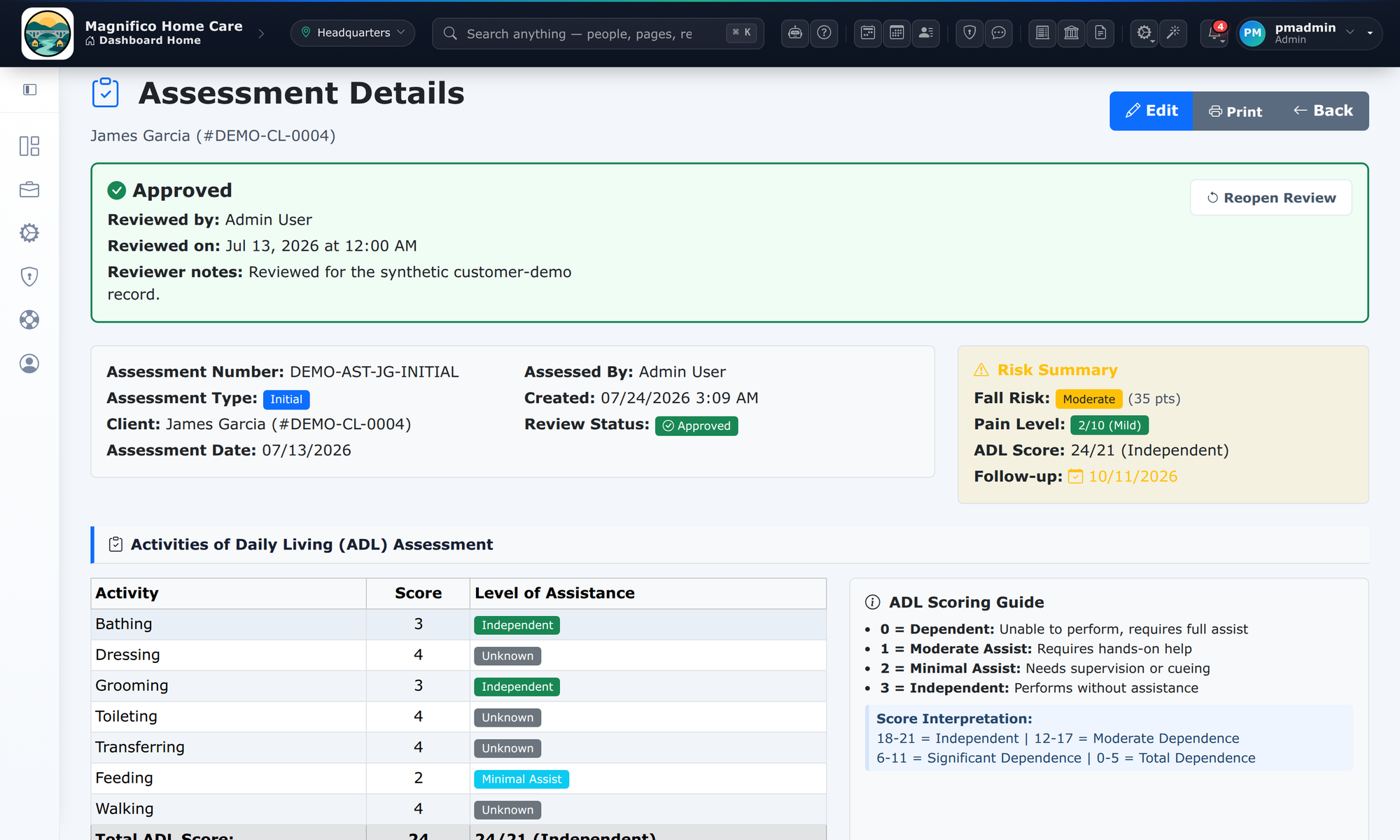
A few real screenshots from CareConnect to show the look, feel, and depth of the system.
Click any screenshot to expand it to 200% for a closer look.
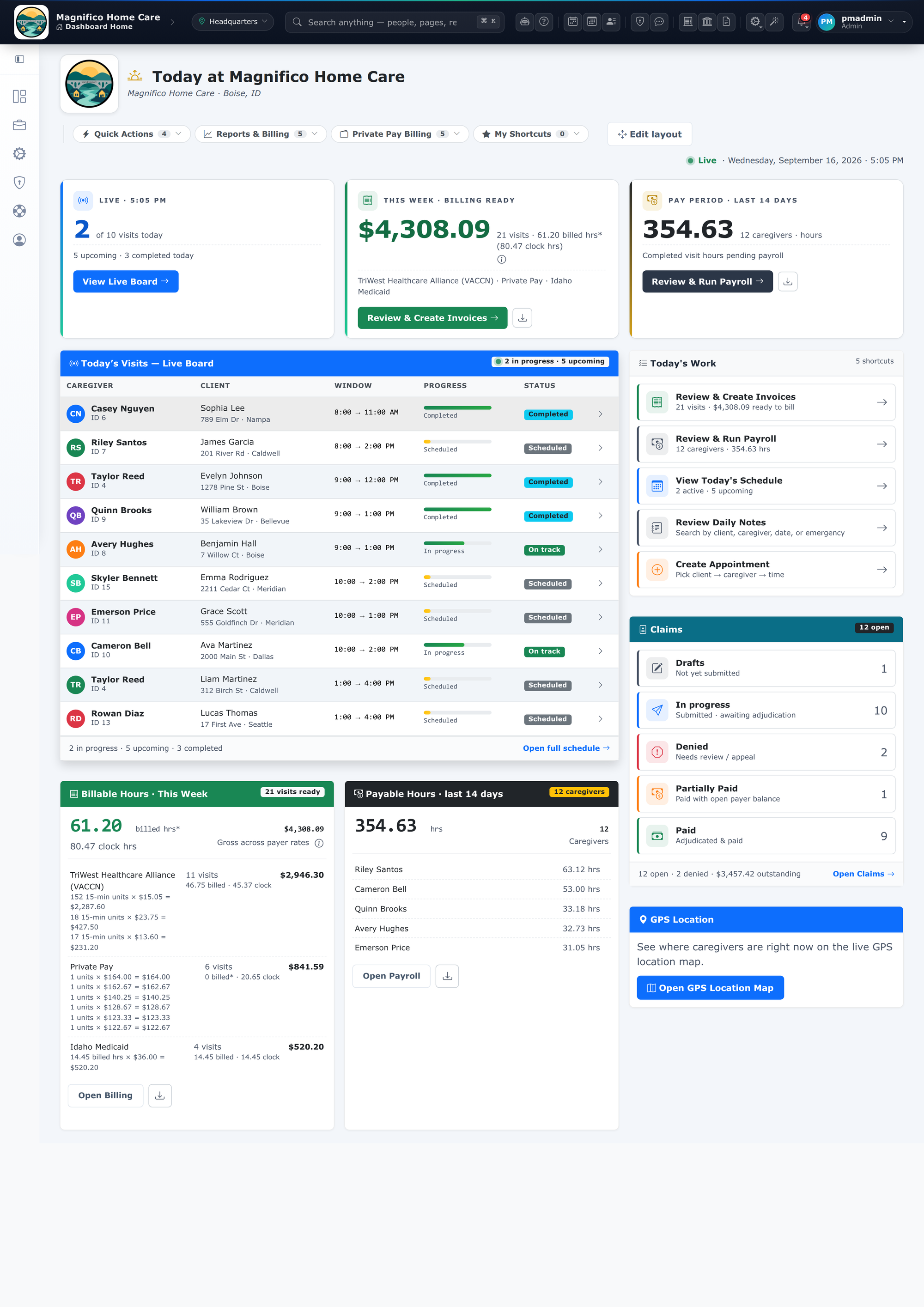
Admin dashboard
Your command center: navigation, quick actions, and day‑to‑day operations.
EVV dashboard
EVV visibility and compliance workflows designed to reduce audit stress.
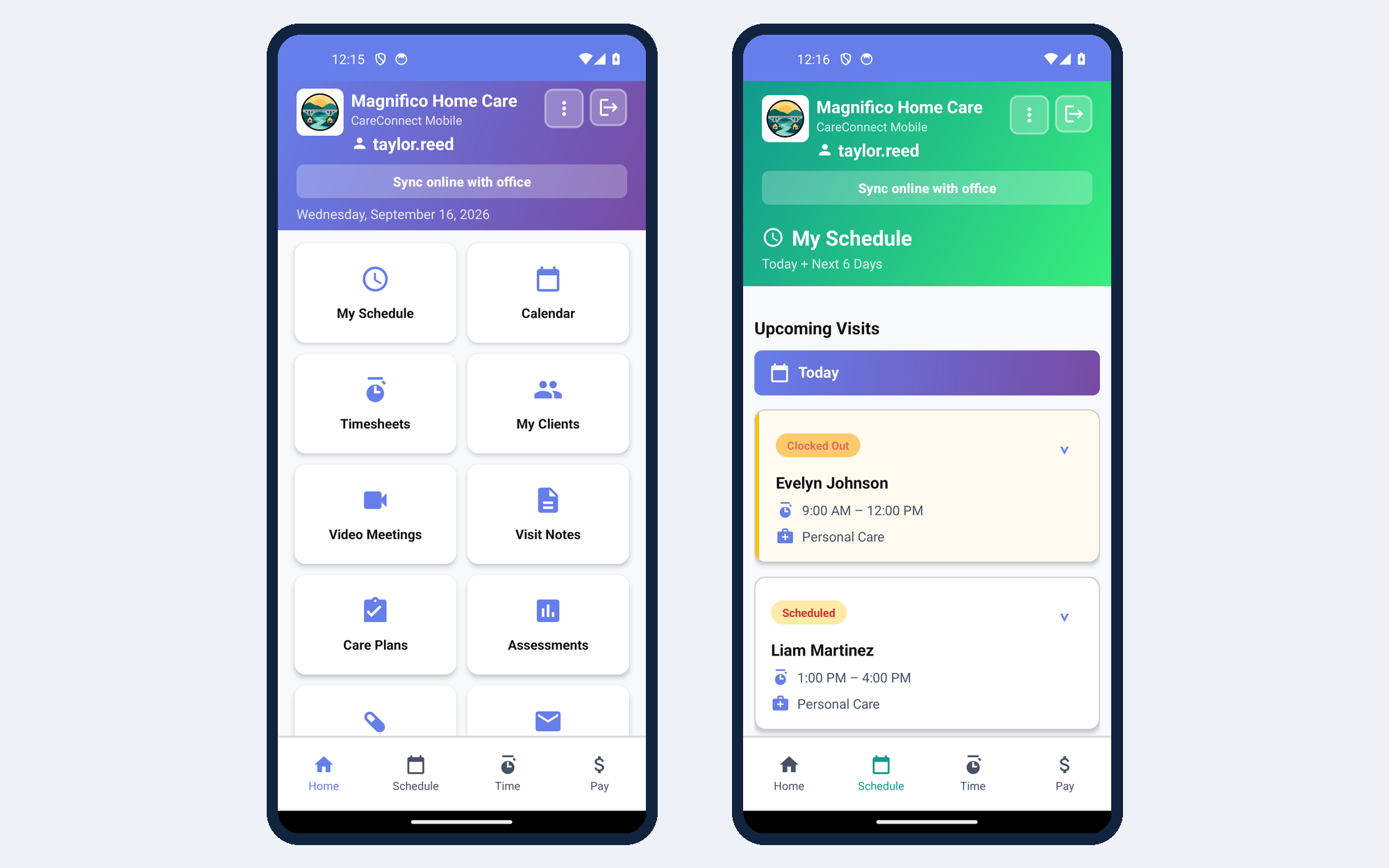
Mobile caregiver UI
Caregiver-friendly mobile dashboards built for clock‑in/out and visit workflows.
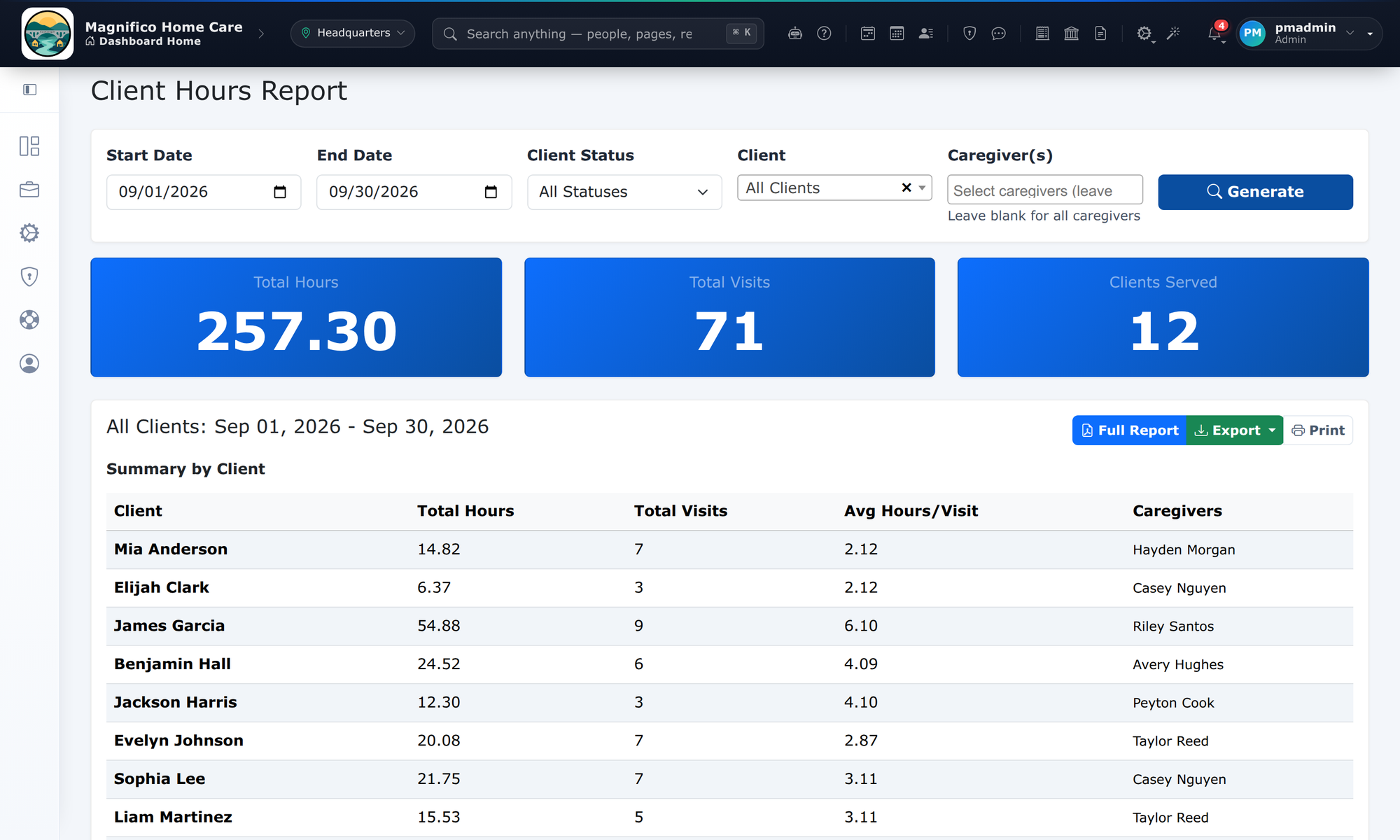
Reports engine
Operational and compliance reporting with a clean, modern presentation.
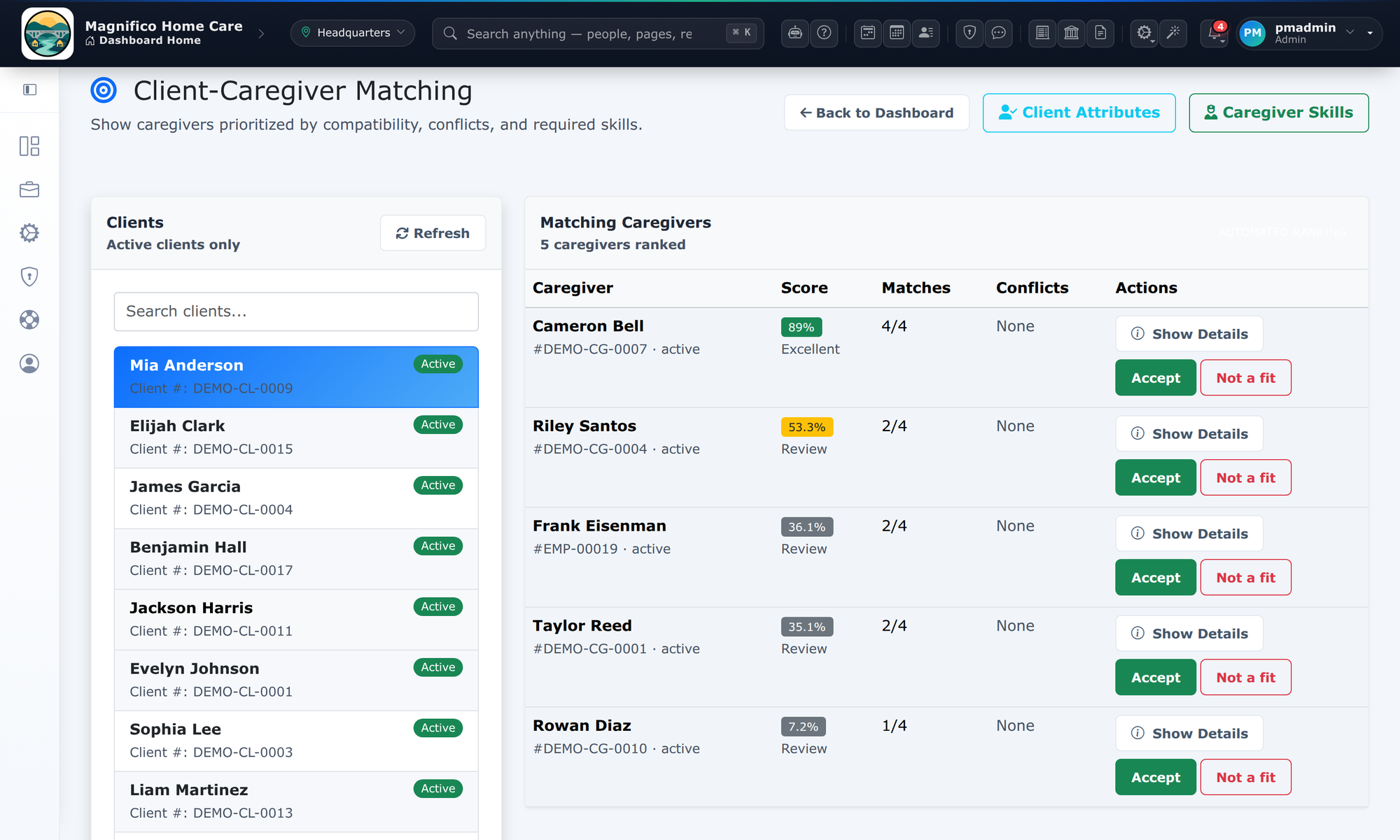
Matching system
Match caregivers to clients with structured attributes and clear configuration.
VA monthly report
Built‑in VA communications reporting and repeatable monthly workflows.
Want a demo?
Tell us your agency size, payer mix (private pay / VA / etc.), and where you’re located — we’ll tailor the demo and discuss onboarding.
What happens next?
- We review your agency information
- We schedule a 30-minute live demo
- We walk through scheduling, caregiver management, VA billing workflows, and reporting
- You receive pricing and onboarding details
We typically respond within 1 business day.
Demo request form
FAQ
A few quick answers. If you have requirements, we’ll walk through them on a demo.